
Custom Data Integration Platform
The platform brings data from marketplaces, point-of-sale systems, grading portals, and spreadsheets into one dashboard. Teams can compare sales estimates, payments, refunds, and payouts without mixing totals across sources. They can also check stock by SKU, track sourcing and grading submissions, and review commission worksheets alongside shared documents, tasks, and calendars. Each build is scoped to the systems a business already uses.
Light-mode screenshots use fictional records and scripted chatbot replies.
Project screenshots
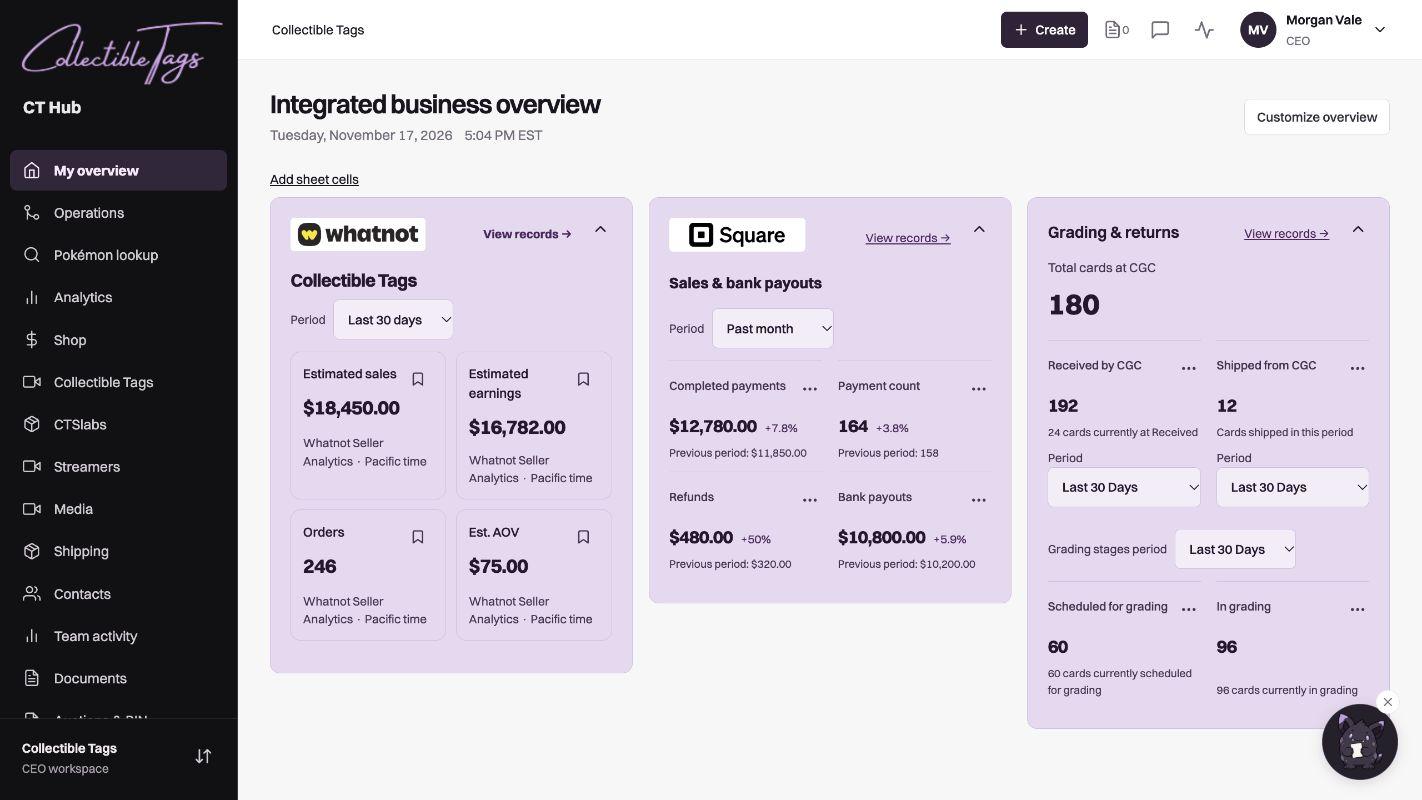
Combined data overview
This example shows Whatnot sales estimates and earnings separately from Square payments, refunds, and payouts.
Open full size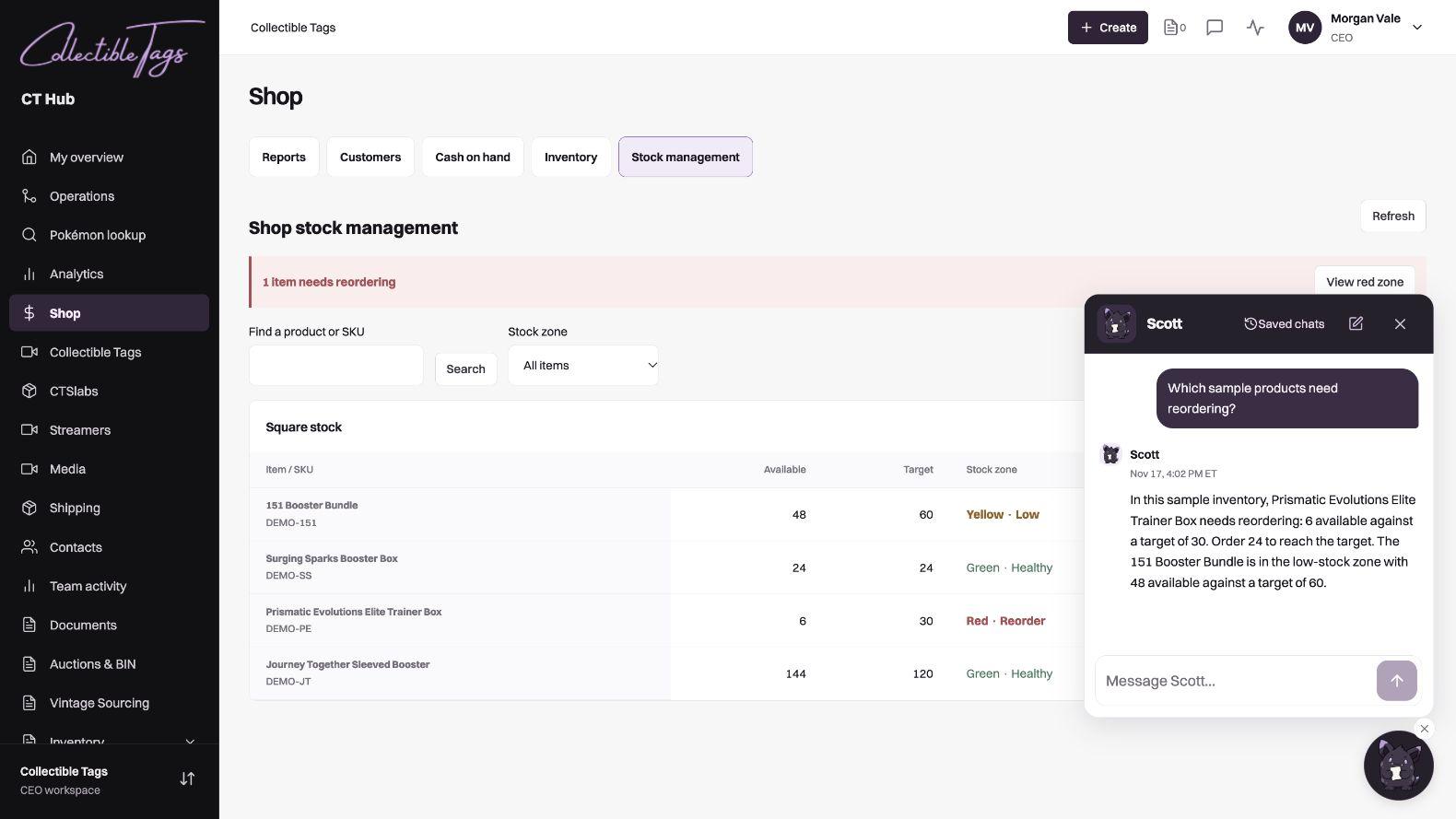
AI chatbot
The assistant checks stock against target quantities and identifies what to reorder. Conversations can be saved.
Open full size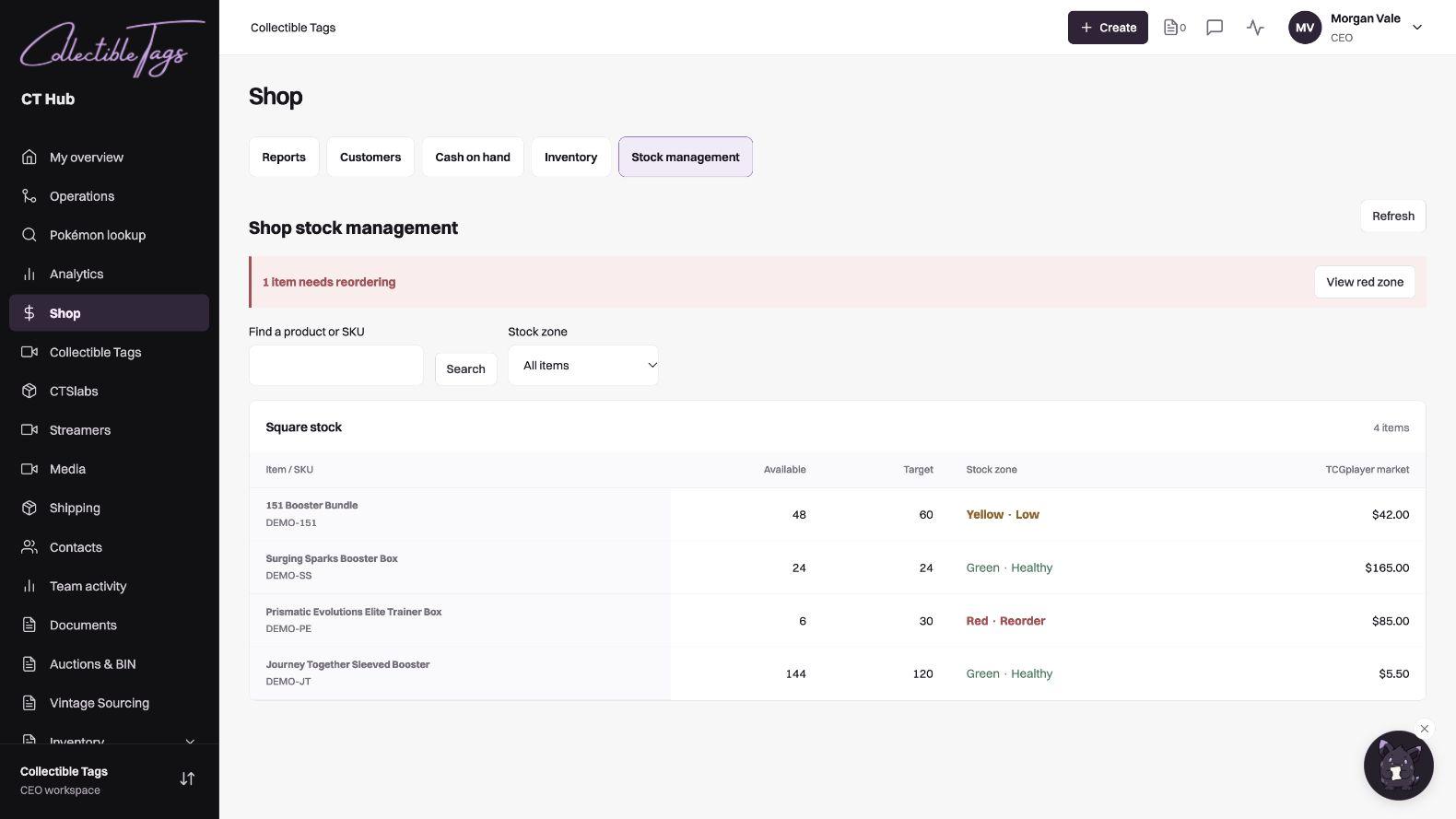
Shop stock management
Staff can search by product or SKU and filter by stock level.
Open full size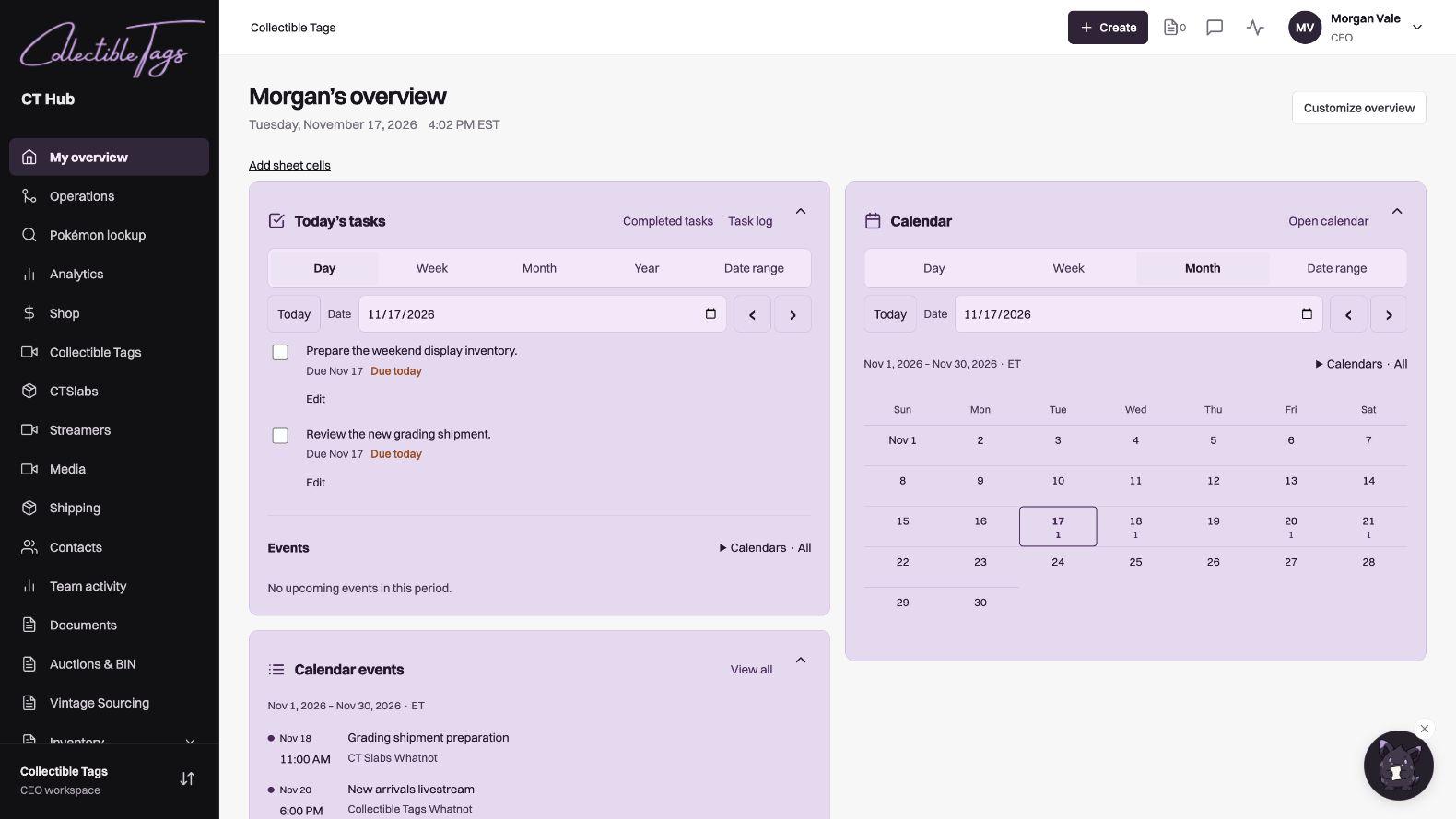
Tasks and calendar
Staff can update assigned tasks and see upcoming events from shared calendars.
Open full sizeAutomations
- Scheduled sales and inventory sync
- Connected sales and inventory feeds refresh on a schedule so staff can see updated figures without exporting reports by hand.
- Playwright browser automation
- A Playwright browser worker downloads reports from a connected web portal and imports them into the dashboard. In this build, it updates grading submission statuses.
- Spreadsheet updates and review
- Configured workflows fill sales, inventory, and commission sheets. Administrators can compare previous values with what was written, confirm or flag changes, and handle unclear inputs manually.
- AI chatbot and action drafts
- Staff can ask about sales, stock, grading, and other records they have access to. The chatbot can also draft tasks, calendar events, and spreadsheet edits for review before saving.